New website, built with Claude Code: my learnings
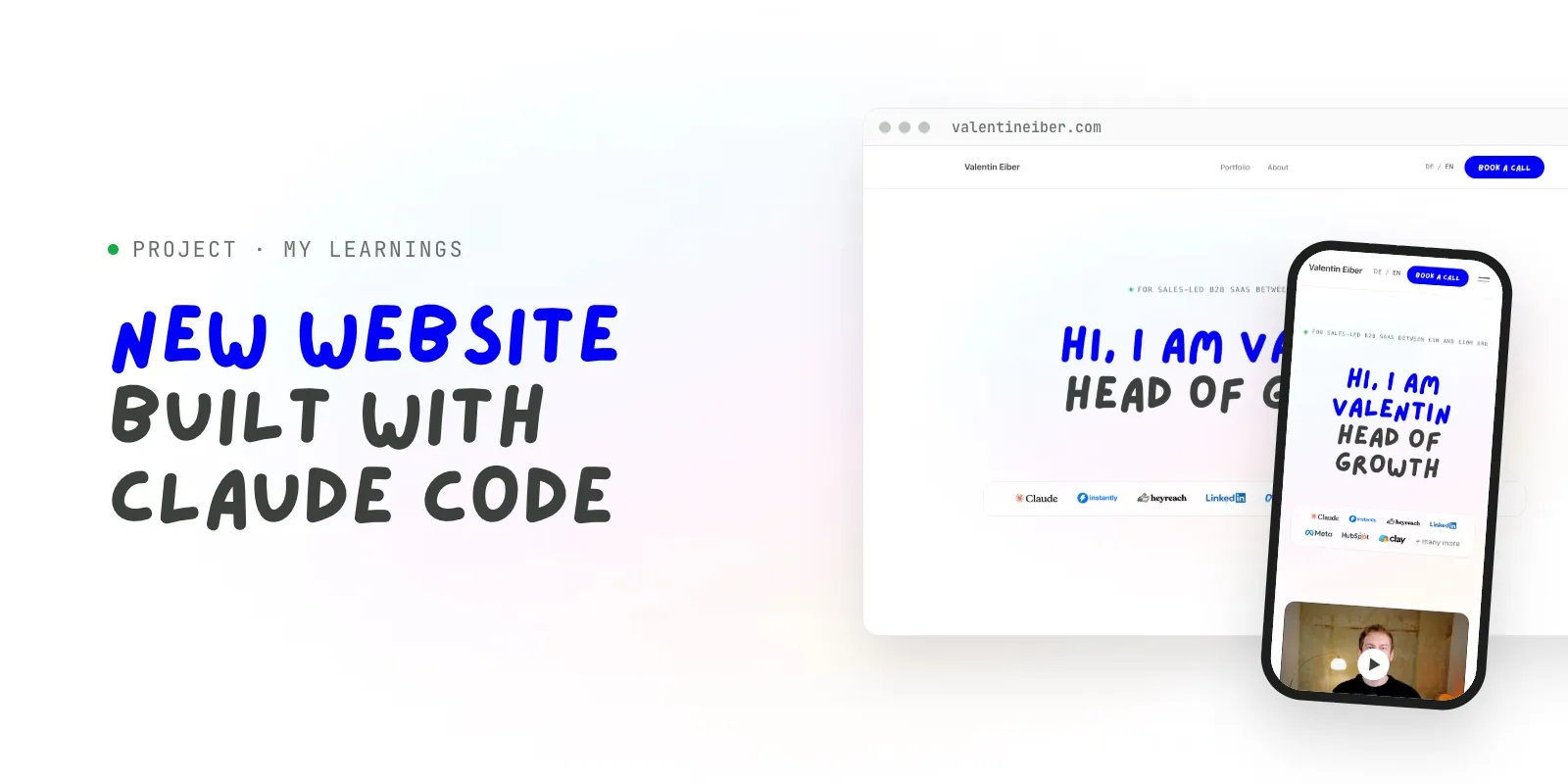
Two websites became one. Built myself with Claude Code, with its own CMS and for around €5 a month. Why I did it this way and who it is worth it for (spoiler: very few).
The challenge
I had two websites: valentineiber.com on Carrd for my consulting and PREVAIL on Webflow as my freelance and agency site. After merging the two businesses, I wanted just one site.
It had to do two things:
- show potential clients what I do and where I can help
- be a portfolio I can send along when I apply somewhere
Honestly, I see my website more as a business card than an asset that has to convert like crazy. With the kind of work I do, nobody lands on the site and thinks: "Sounds great, let's book him." Collaborations start elsewhere. People visit the website when they already know me, or when their research shows that I specialise in sales-led B2B SaaS up to €10M ARR in the DACH region.
My approach
Everything built and hosted myself, instead of Webflow, Framer or Carrd.
Don't get me wrong: I still think Carrd is a great company. Around $20 a year for several landing pages was genius, and I used it for many years. I've used Webflow a lot and still do in some projects, especially via its MCP. It's great.
But thanks to AI, a site builder has become somewhat redundant for me. And I wanted two things:
- Maximum freedom: being able to do anything, without being limited by an editor.
- My own setup: building my own workflows, testing them and above all perfecting them.
The roles were clear: I'm the creative director, Claude Code is the builder. Concept and base design came from me (I built the design in Canva first), Claude wrote the code. And because I had very specific ideas, there were lots of iteration loops. That's just how personal projects go.
How I went about it
- Defined the concept and structure, mostly via voice messages to Claude. Talking is much faster for me than typing.
- Developed the base design in Canva, then built it as a website with Claude Code, in German and English.
- Built the setup: code on GitHub, automatic checks and automatic upload to Hostinger.
- Pointed the domain at IONOS to the new server. Live since the end of October.
- Added my own CMS so I can change copy and posts myself.
The result
A website that looks and works exactly the way I want. No site-builder subscription. Apart from hosting, I have no costs. Sure, Claude costs money too, but I share that across all my other projects, so it's pretty much written off already.
There are no crazy conversion numbers, and that was never the point. But I've already had quite a bit of positive feedback. 🫶
What I learned
Building a website yourself with AI is only worth it if you want something highly individual, in both the result and the process. For around 80% of all businesses, it's not worth it.
Coding is the easy part. Before that, you need to think about setup, structure, hosting and a good release process. Just recently, the CMO of a large client told me he had tried to build a website with AI and was really annoyed at how bad the result was. It's almost always the setup: far too few people use GitHub, build a clean release flow or have a second agent review the code.
Would I do it the same way again? Yes. I'd just skip the loops I went through, because now I know what the setup needs to look like.
The most annoying part: understanding what a good setup looks like
I've known GitHub forever, but I'd never really worked with it. Branches, merges, automatic deployment: I had to dig into all of that first.
Here's roughly how it works today:
- The code lives on GitHub. That's the single source of truth, with the full history of every change.
- Claude Code works on its own branch, a copy next to the live version. Nothing that's online can break.
- Automatic checks run before every upload, currently more than 250 tests. If one fails, nothing is published and the old site stays online.
- Only when everything passes does it get merged. GitHub then builds the site automatically and uploads it to Hostinger. About three minutes later, it's live.
The wow moment: my own CMS in a few minutes
I come from the Webflow world, so a CMS is a must for me. I don't want to open Claude every time I want to change a word. That would be really annoying.
So I attached a CMS to the back of the website. And within a few minutes, the thing was up and running. Me: okay, what the fuck? That's crazy. 🕺
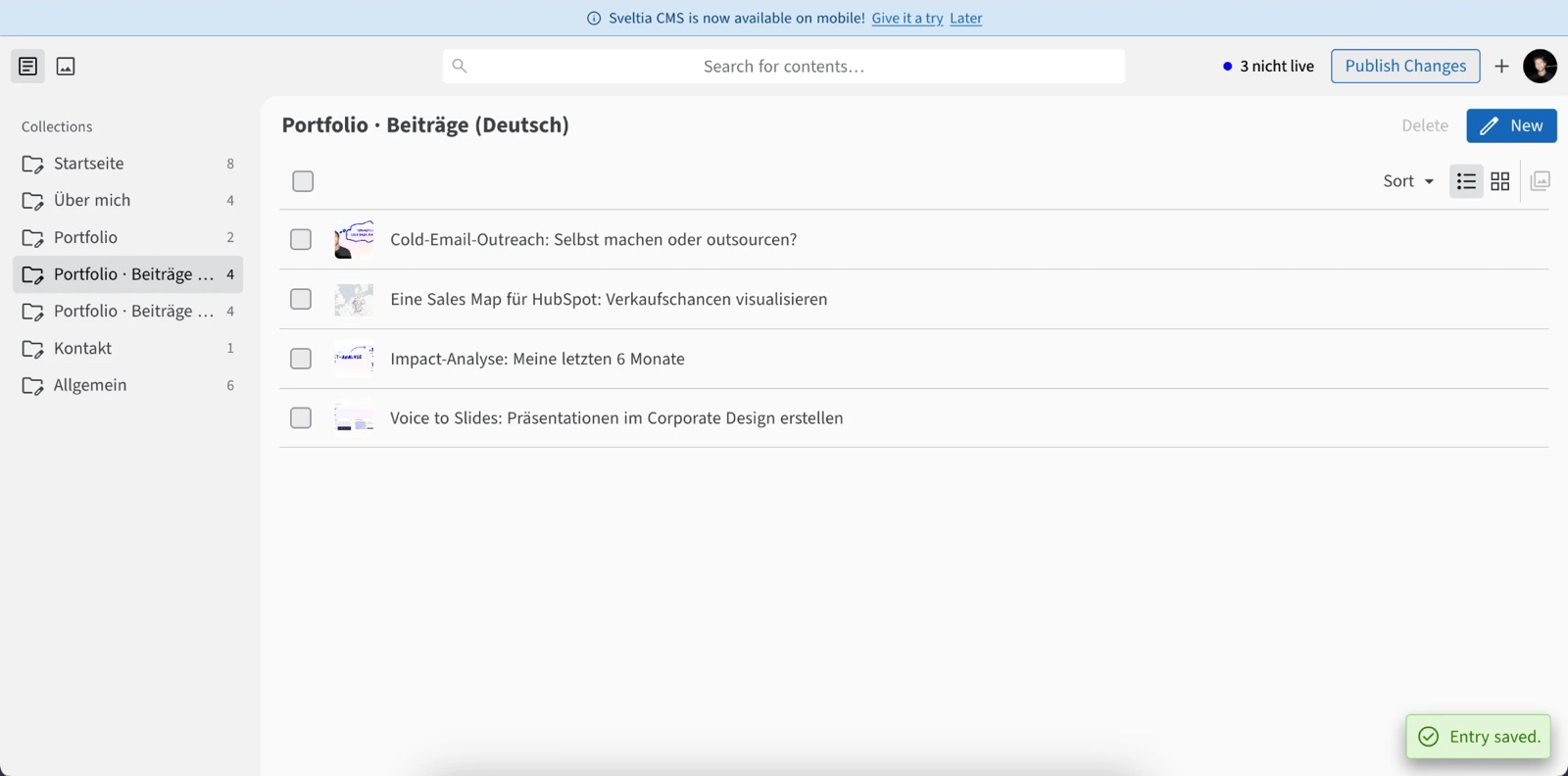
I built it the way I know it from good tools: edit, save and only go live when I want to. And as of recently, it even updates the translation into the other language automatically.
Fun fact: the kindergarten font
You may have noticed the handwriting that looks a bit like something from kindergarten. That's on purpose.
I think some things need loosening up. I like to laugh and I like having fun at work. The result has to be professional, but the way there can be a bit fun too. That's exactly what the font is meant to show, with a wink: playful, likes trying new things, does some things differently from others, and still professional.
Build it yourself or use a site builder?
If you're thinking about building your website yourself and aren't sure whether it makes sense or whether a website builder would be the better choice: message me on LinkedIn. I'm happy to help you decide, free of charge, no problem at all.